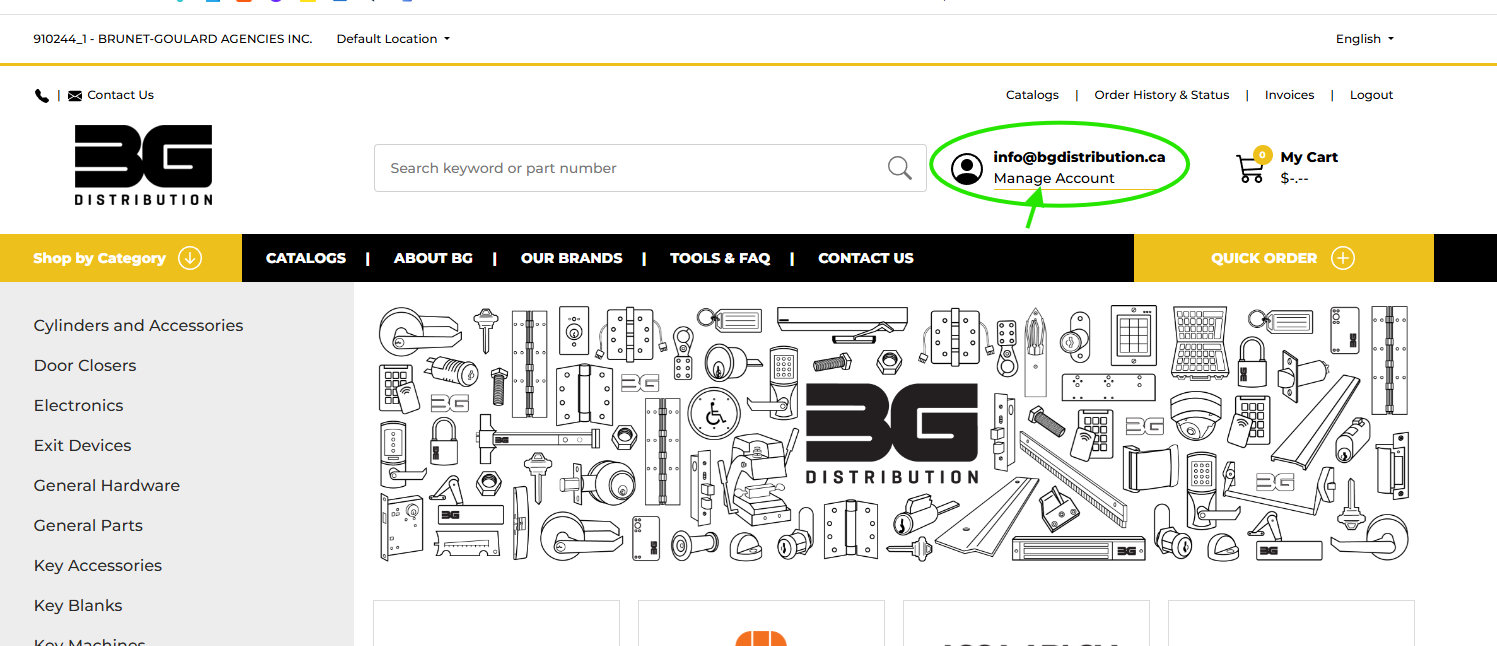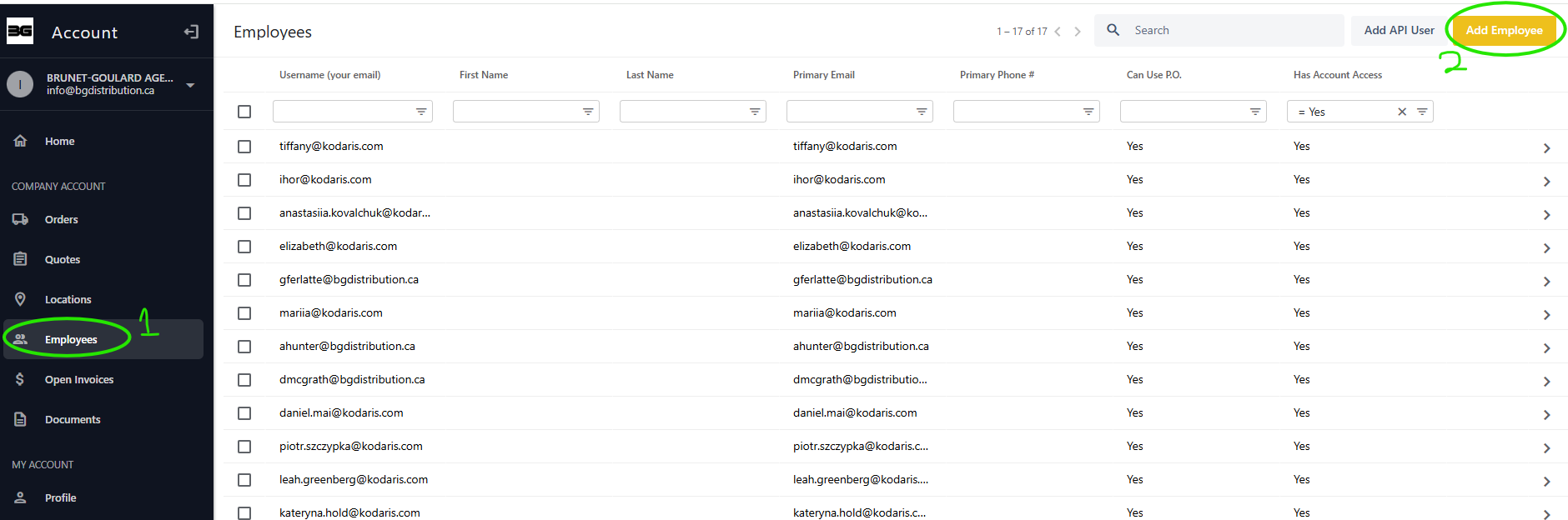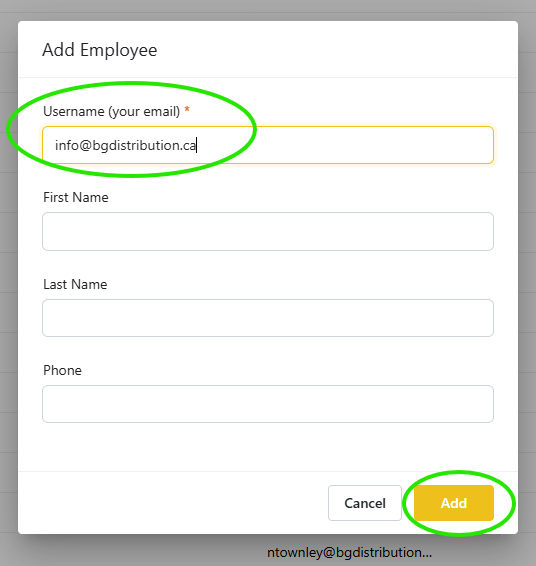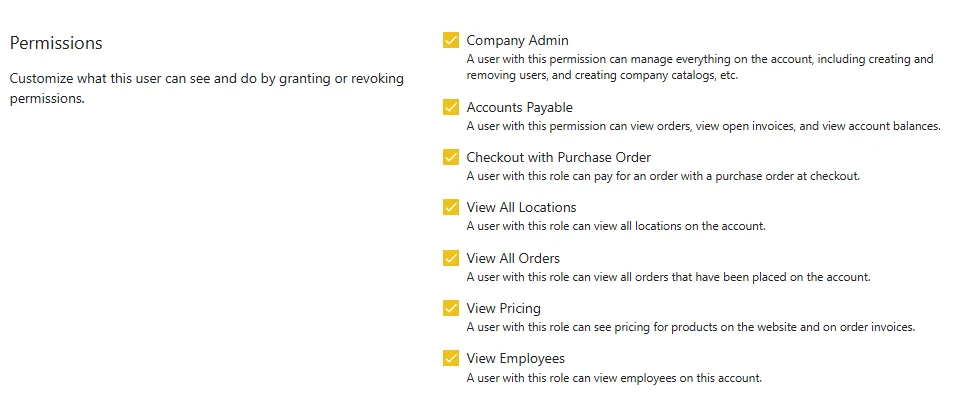
Company Admins can create users and modify the permissions of their company's users. To request the Company Admin role, please reach out to an existing Company Admin, or BG Distribution.


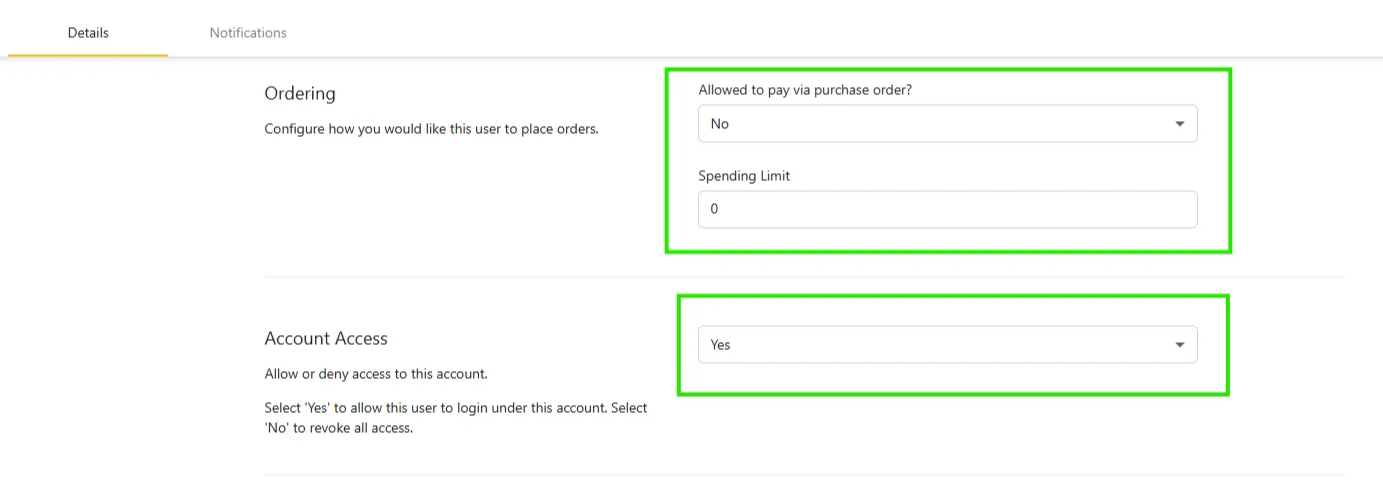
ORDERING
ACCOUNT ACCESS

PERMISSIONS


NOTE: Your employee will receive an email inviting them to activate their account. If they need help getting set up, they can follow the "Set up your account" guide.
| Role Name | List of permissions |
|---|---|
| Admin Main features - Add users - Create company catalogues -View account balances | Company Admin (Create company catalogues, View Edit and add employees and roles, add your part numbers to products) Accounts Payable (View open invoices and account balances, payment history, and company documents) Checkout with Purchase Order (place orders) View all locations (View your shiptos) View all orders (placed online and through BG customer service team) View Pricing View list of employees (users) |
| Accounting Main features - View account balances | Accounts Payable (View open invoices and account balances, payment history, and company documents) View all locations (View your shiptos) View all orders (placed online and through BG customer service team) View Pricing View list of employees (users) |
| Purchasing Main features - Place orders | Checkout with Purchase Order (place orders) View all locations (View your shiptos) View all orders (placed online and through BG customer service team) View Pricing View list of employees (users) |
| Quoting Main features - View pricing | View all locations (View your shiptos) View all orders (placed online and through BG customer service team) View Pricing |
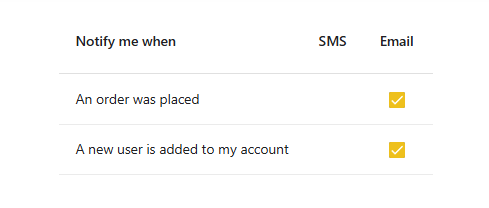
| Default features not attached to any permission | View the company catalogues (Shared catalogues created by an admin) Create personal catalogues (not shared with your company) Upload personal documents (not shared with your company) View and Edit your notifications View and Edit your profile Save your cart (clicking save for later will add it as a “saved” order in the orders tab. Click “edit order in the top right corner ot put it back in your cart and continue) |